There usually aren’t too few meeting rooms. They are simply used inefficiently.
Almost every office recognizes the same phenomenon: according to the calendar all rooms are booked, but when you walk down the hallway some of them look empty. Meetings end early, people forget to cancel bookings, and free rooms are searched for in vain. At the same time, organizations are considering how facilities could be used more efficiently and how to provide a better employee experience in the era of hybrid work.
Hybrid work has changed offices permanently. People move more between different locations, workdays alternate between remote and on-site work, and the use of meeting rooms is concentrated on certain days of the week. Managing spaces is no longer just about calendar bookings, but part of designing a functional work environment.
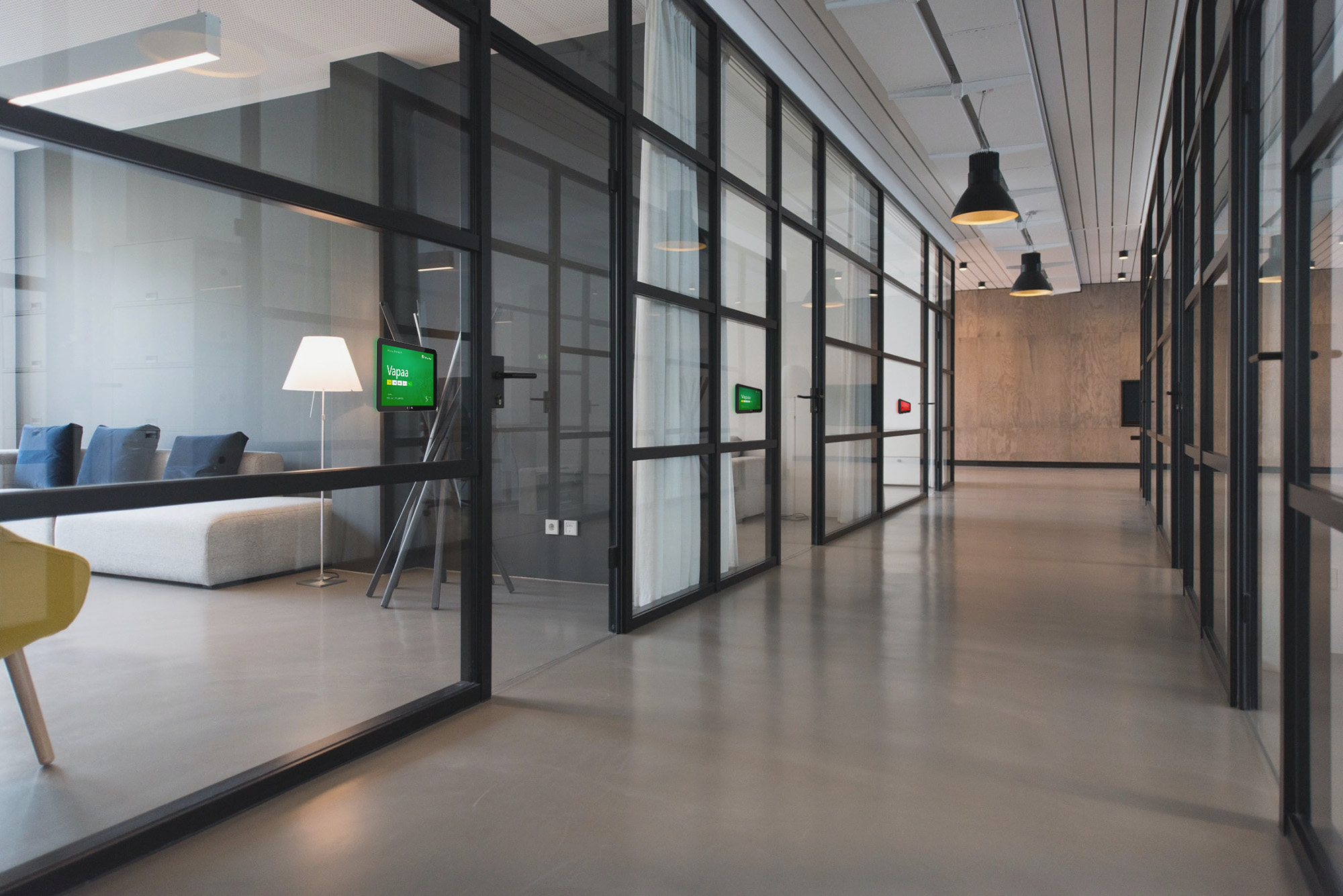
A digital meeting room display brings room booking information into view right where it is needed – at the meeting room door. At the same time, it allows bookings to be made, changed, and released in real time without extra apps or logins.
In this blog, we go through seven concrete ways in which a digital meeting room display and meeting summary displays boost the use of spaces in a modern office environment.
1. A free room is found at a single glance
Typically, a free meeting room is searched for in the calendar or by walking around the hallways. The calendar tells one thing, but reality may be another. A room looks empty even though it is marked as booked. Or a space seems free, but the next meeting starts in a few minutes.
A digital meeting room display removes the guesswork. The room’s booking status is clearly visible already from the hallway. Green indicates that the room is free, red that the space is in use or booked.
At a single glance, the user sees whether the room can be used or whether it is better to move on to the next door. This saves time and reduces frustration, especially on busy workdays.

2. Quick booking of a meeting room works directly from the display
In many organizations, a quick meeting turns into a surprisingly slow process. First you open the calendar or booking system, look for a free room, choose a time, and confirm the booking. An interactive meeting room display does the same in a few seconds.
If the room is free, the user can make a booking directly from the display. For the meeting, you can choose a duration of, for example, 15 minutes, 30 minutes, or an hour, without logging in or separate credentials.
3. The room is freed up immediately when the meeting ends
One of the biggest invisible problems in offices is unused booked time. A meeting ends earlier than planned, but the room stays reserved in the calendar for a long time. During this period, the space appears booked to other users, even though it would in reality be completely free.
With the digital meeting room display’s release function, the user can end the booking as soon as the meeting is over. The information updates in real time both in the calendar and on the displays, so the next user can make use of the freed-up time immediately.
A feature that sounds minor can significantly increase the actual utilization rate of meeting rooms.
4. The calendar and the meeting room display stay automatically in sync
The old pain point of room-booking displays is one-way communication: a booking made in the calendar shows on the display, but a change made on the display does not appear in the calendar.
Modern solutions integrate directly with existing calendar environments. FirstDoor supports, for example, Microsoft 365, Exchange, and Google Workspace environments, so all changes update automatically in both directions.
A booking made in the calendar appears immediately on the meeting room display. Likewise, a quick booking or release made on the display updates instantly in the calendar. In the same way, a cancellation in the calendar turns the meeting room display’s status green again.
Because FirstDoor operates as part of the MediaCloud content management system, managing the meeting room displays also happens from the same environment as the organization’s other digital displays.
5. Space efficiency improves during the peak times of hybrid work
In many workplaces, the office fills up especially on Tuesdays, Wednesdays, and Thursdays. On those same days, demand for meeting rooms also rises sharply. Often, however, the problem is not the number of meeting rooms but the inefficiency of their use. Bookings stay in effect unnecessarily, spaces are used differently than planned, and free rooms are hard to find.
When booking information updates in real time and rooms can be released immediately after use, the same meeting room capacity serves more users during the day. Meeting room displays increase the efficiency of the room-booking ecosystem, but they also work as a booking system on their own.
This can reduce the need for additional space and help make better use of the existing square footage.
6. The status of all rooms is visible on a single display
When an organization has several floors or dozens of meeting rooms, individual meeting room displays are not always enough. In these situations, meeting summary displays make the entire set of spaces visible at a single glance.
A display placed in the lobby, a floor lobby, or shared spaces can show the real-time booking status of all meeting rooms in a single view. An employee can quickly see where free rooms are and how long they are available.
Meeting summary displays especially ease the daily life of visitors, occasional office users, and large offices. At the same time, they reduce unnecessary wandering and speed up finding the right room.
Because the views are built in MediaCloud, other building communications can also be combined on the same display, such as event information, visitor guidance, safety messages, or internal company communications.
Read more on the blog: Digital communication in real estate strengthens the visitor experience »
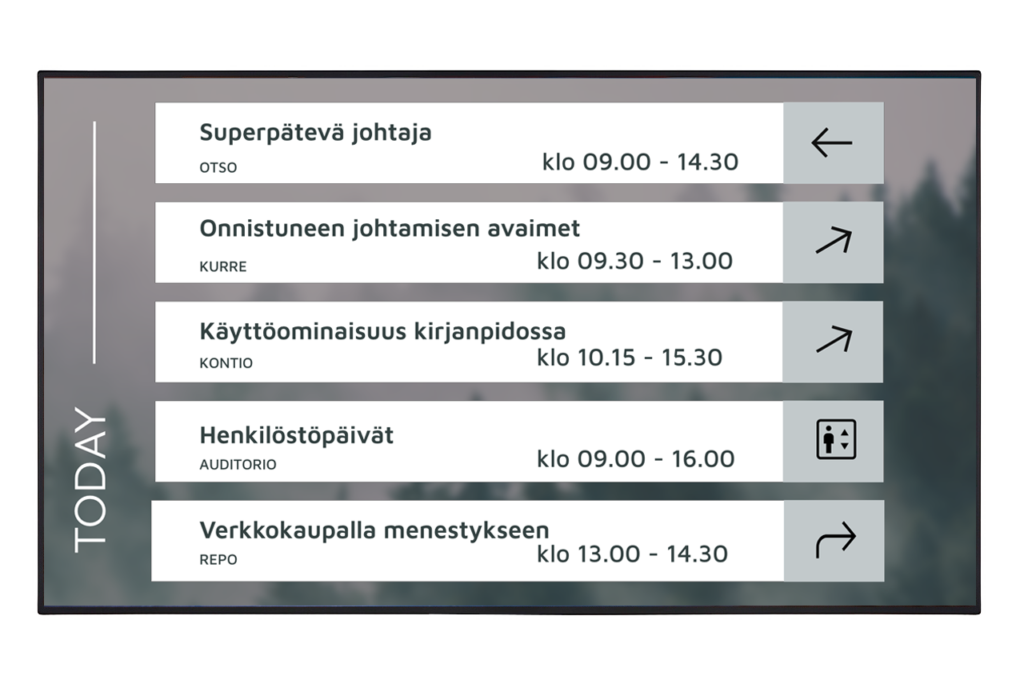
7. A branded meeting room display supports the company’s visual identity
Many room-booking displays look as if they belong to the system vendor, not to the company in whose premises they are located. In reality, the meeting room door is one of the first things a visitor encounters during their visit.
FirstDoor can be customized to match the organization’s visual identity. The company’s colors, logos, fonts, and background images make the user experience a consistent part of the rest of the work environment.
As a result, the technology blends into the brand instead of looking like a detached system.
Read also how digital displays and sound masking together affect the experience »
The meeting room display is part of a smart work environment
Digital meeting room displays are part of the digitalization of work environments, where the use of spaces is guided by real-time information. When calendars, room bookings, and meeting summary displays come together into a single whole, the smoothness is immediately visible in everyday life. Employees’ daily work becomes easier, the visitor experience improves, and the use of facilities becomes more efficient.
If you want to see how a digital meeting room display could improve space usage in your own organization, explore the FirstDoor solution or contact our experts.